01
See where your people are.
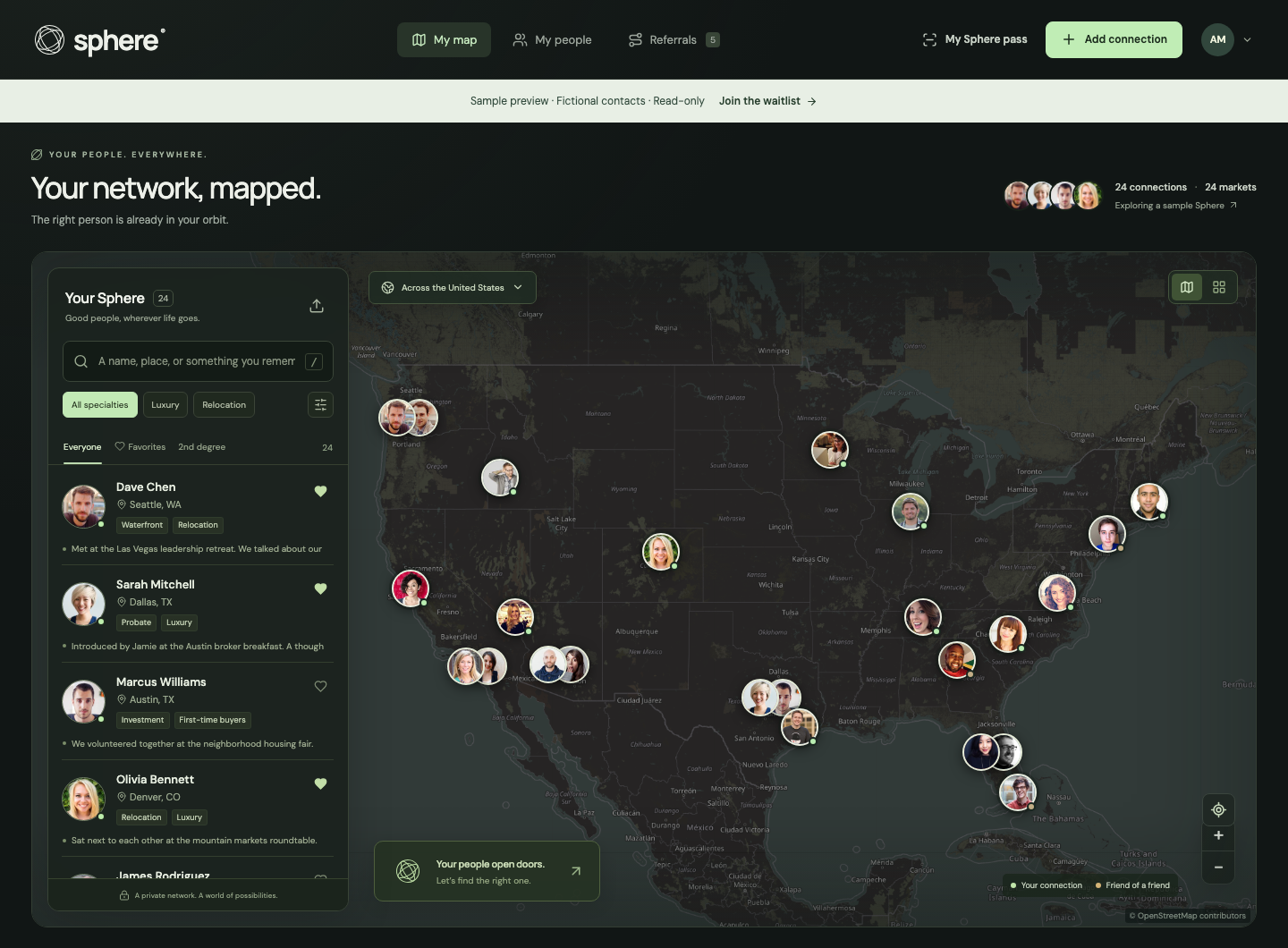
Explore your connections on a map. Find someone in the right market and see the areas they serve.
Remember the right agent, in the right market, when your next client needs an introduction.
Try the sample network now. No account needed.
VALUE FROM YOUR VERY FIRST CONNECTION
Works even when your contacts aren’t on Sphere.
Bring the people you already know. Keep their markets, specialties, and the story behind each connection together. No invitations required.A LITTLE CONTEXT GOES A LONG WAY
You already know good people. Sphere helps you remember who, where, and why—so the right introduction feels a little more natural.
Explore your connections on a map. Find someone in the right market and see the areas they serve.
Keep the story behind a name: where you met, what you talked about, and the details you want to remember.
Search names, locations, specialties, and your own notes. A little context can take you a long way.
Organize client details, follow a referral’s progress, and export a PDF brief when you’re ready to make the introduction.
Share your profile with a personal QR pass. Scan a Sphere pass to bring a new connection into your network.
Import CSV or vCard exports from your existing contacts. Preview details, choose missing markets, and review duplicates before saving.
FROM HELLO TO HANDOFF
A simple rhythm for the relationships
that make your business yours.
Add your profile, service area, and specialties. Bring in your contacts or add someone new.
Add a private note. Save a favorite. Find a familiar face in the market your client needs.
Create a referral draft, record the details, and keep its progress close at hand.
You can explore a fictional sample network today. Join the waitlist for updates when personal accounts open.
Sphere is designed for real estate professionals who want a clearer picture of their personal referral network. It brings contacts, locations, specialties, private notes, and referral progress together.
No. Your workspace is a private map of the people you know. You can add and organize contacts without inviting anyone, and those contacts do not need accounts of their own.
The public preview includes a sample network you can search, filter, and explore on the map. You can inspect contacts and the referral board without creating an account. Join the waitlist for launch updates; personal account registration has not opened yet.
Yes. In a personal workspace, upload a CSV or vCard export from Apple Contacts, Google Contacts, or another contact manager. Preview the records and review duplicates before importing. If contacts have no market, choose their service market explicitly; existing cities stay unchanged. vCard photos and private notes are not imported. You can also export contacts as CSV or workspace data as JSON; uploaded photo files are not included.
Sphere organizes referral drafts and exports PDF briefs for you to share yourself. It does not send messages, collect signatures, or process payments. A referral status is your own tracking record, not proof of an executed agreement.
No. Private contact notes stay out of the referral PDF. A brief includes the referral details you enter, so review those details before sharing it. Read more in our privacy information.
Yes. Sphere works in a mobile browser, with a responsive contact list, map, and QR pass. Your browser asks for camera permission when you choose to scan a pass. The web app does not include native address-book sync, nearby Bluetooth discovery, or push referral alerts.
BE READY FOR YOUR NEXT INTRODUCTION
Join the waitlist for personal account launch updates. Tell us your brokerage so we understand the agents and teams interested in Sphere.
Take a look around first